 I have been experimenting with some new processing techniques (new for me anyway) called HDR (high dynamic range if you care) and the results are pretty nice. You can do this with any of your own images. It really makes everything pop. Just using the free trial right now so you get that nice little banner at the bottom of the picture, as you see if you click the images.
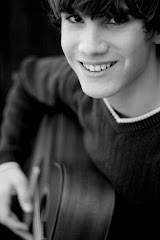
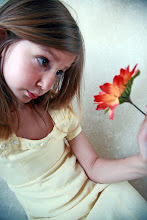
But check out the difference in these two. They are of Elise at Catalina. The top image is the original, and the bottom is processed.
If you right click each image and choose "Open in New Window" then you can switch back and forth between the two windows and see the difference.




4 comments:
Cool stuff. I have planned on using HDR software - and I would have by now, except my house renovations have put all my photography (and most of my life) on hold. I will try it before too long though.
I was under the impression that you couldn't use the HDR software with only one photo, but that you had to take multiple exposures of the same scene - or process a "raw" photo multiple times with differing exposure results (thus creating the multiple exposures needed). Am I wrong?
Keep us informed of your "testing."
That's pretty incredible. I like the subtle, non-HDR look you created. Sometimes there's a heavily processed look to HDR images that looked cool to me at first, but now too often just looks like "too much."
If you keep posting about stuff I want I may have to stop coming to your blog.
Oh wait, I looked at the site and I'd have to use *gasp* Windows. (Hands over ears, "nanananananan, don't tell me about any Mac software that does the same, I can't hear you.")
To "the real Jim Heywood" (aka Dad), for real HDR you do need multiple exposures, but reading the mediachance site tells of a fake HDR from one single jpeg that this software can create.
Jim actually you're right. The process I used was to take one photo, process the RAW image with a -1.0, 0.0, and +1.0 exposure, so I ended up working with three JPG files. But I started with only one image rather than three or more. Apparently it works better if you bracket when taking the shots, but with people in motion pictures, that's impossible for this type of thing. For landscape work though you could easily take several exposures and get good results.
Daniel, yeah, I wanted something that had increased dynamic range but didn't look over processed. I think that the end result of this one is getting there. I think if you look at the processed image first it doesn't really look too overly processed. The dramatic difference comes when you compare the two side by side.
The software I used is like $55 and I think I'll buy it. It would be fun to do a few of these at weddings. We are shooting a wedding tomorrow that is on a beach at Big Bear lake. I intend to do some of this on a few of those shots.
Oh, Daniel, I also downloaded the photoshop plugin that gives the "fake" HDR look with a single photo. It is not nearly as flexible, and doesn't look as good. Could be nice in some situations, but you don't get the same results as this.
Post a Comment